CLAUDE.md: How to Write Instructions That Change Claude s Behavior

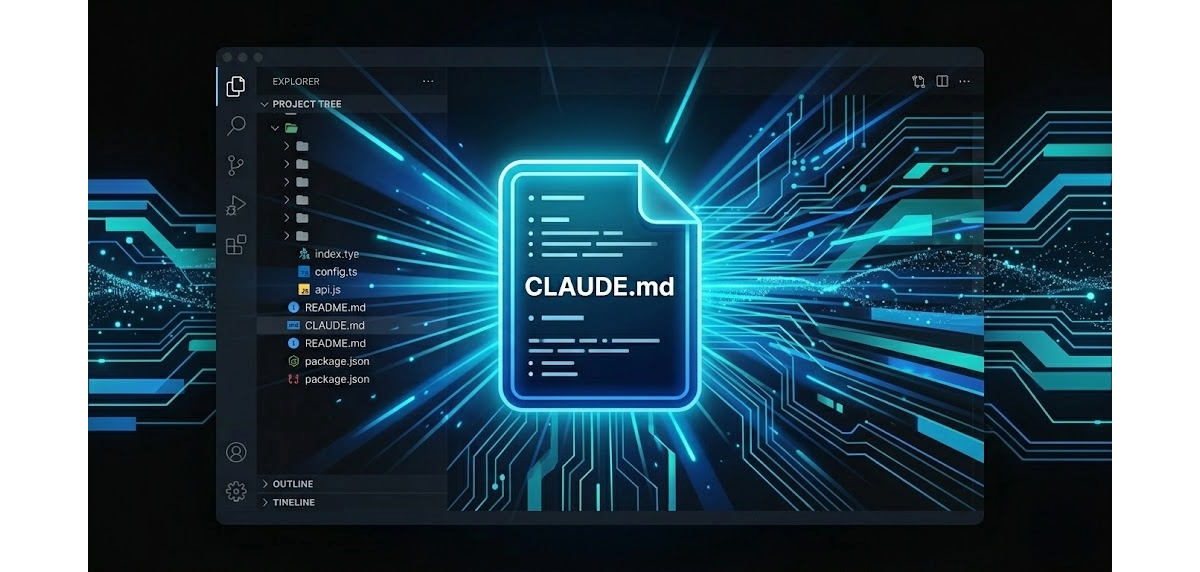
If you are explaining the same things to Claude every time you open a new session, you are wasting time. The solution is called CLAUDE.md, and most people using Claude Code barely scratch the surface of what it can do.
CLAUDE.md is a text file that Claude reads automatically whenever you open a new session. It contains your project's permanent instructions: how it works, what never to touch, how to work, what your voice is, which tools to use. Everything you do not want to explain again.
It is not documentation. It is not a manual. It is the project's memory, written in a format that AI understands natively.
In this guide I show you how to structure it, what to include, what to avoid, with real examples from my daily workflow.
The Problem That CLAUDE.md Solves
Every Claude Code session starts from zero. The model does not remember previous conversations. It does not know how you prefer to work, does not know which files are untouchable, does not know how your approval process works or what your brand rules are.
The instinctive response is to rewrite these instructions every time. Or worse: not write them, and find Claude making wrong choices because he does not know the project constraints.
For me the breakthrough came when I really understood the problem of context rot, the progressive degradation of responses that happens when a session goes on for too long. Claude begins to be less precise, loses the thread, repeats things already said. The only solution was to open a new session and start over. But starting over meant explaining everything again: how the project works, the conventions, the constraints, the preferences. Every time from scratch.
When I discovered the commands to create, configure and review CLAUDE.md: I saw that Claude was reading those instructions automatically at the start of every new session: it was a small revolution. I stopped wasting time reconstructing context. I opened a new session, and Claude already knew where he was.
CLAUDE.md solves exactly this. And the value is not just personal: the file is shared with the team. Every collaborator who enters the project starts from the same knowledge base, without alignment sessions, without repeated explanations.
How CLAUDE.md Works: Three Levels of Loading
Claude manages CLAUDE.md files in order of specificity, from general to particular:
Your personal preferences live in a global file on your machine. Response language, communication style, tools you have installed, things you never want to see in responses. These instructions apply to all your projects and are only visible to you.
Project rules live in the main project folder. Technical stack, critical files, workflow, naming conventions, brand voice. These are shared with the team: anyone working on that project gets the same context.
Section rules live in specific subfolders. Code conventions for a certain area, documentation format, specific instructions for part of the project. They load only when you are in that section.
The practical result: you can have personal instructions and project instructions, with no conflicts and no repetition.
What to Include in an Effective CLAUDE.md
There is no universal template: every project is different. But there are sections that almost always make a difference.
Project Presentation
Two or three lines that frame the context. Claude already knows which folder he is in, but does not know what you are building, for whom, with which approach. This section prevents incompatible suggestions.
For example: what the project is, what technology it uses, how it is distributed, what the main goal is. Three lines are enough, written as if you were explaining them to a new collaborator on day one.
Untouchable Files (or Areas)
The most important section after the presentation. Every project has elements that are not modified directly: auto-generated files, critical configurations, sensitive data. Listing them with the reason prevents costly errors.
The best format is a table: element, rule, why. The "why" is crucial: a rule without motivation gets ignored or bypassed, even unintentionally.
Operating Rules
How you work on that project: naming conventions, commit format, approval process, preferred tools. You do not need to be exhaustive. You need to document the non-obvious things, those that a new collaborator (human or AI) could not guess alone.
Recurring Commands
The operations you do every day, with the exact command. Build, deploy, local preview, tests. Not explanations, commands: ready to copy and use without searching the documentation.
What Not to Do
This section is worth as much as all the others combined. Claude tends to be optimistic: completes the task in the most efficient way without asking if there are implicit constraints. Making them explicit changes behavior radically.
Practical examples: do not modify certain files, do not add comments to code you are not changing, do not do unrequested optimizations, do not use tools unavailable in the environment. Every item on this list comes from a real problem.
But there is a trap I fell into right away: writing a CLAUDE.md that is too dense.
An overloaded file does not solve context rot, it accelerates it. The more instructions you load at the start of the session, the sooner the workspace runs out. And reopening a new session every twenty minutes, aside from breaking your flow, is simply annoying.
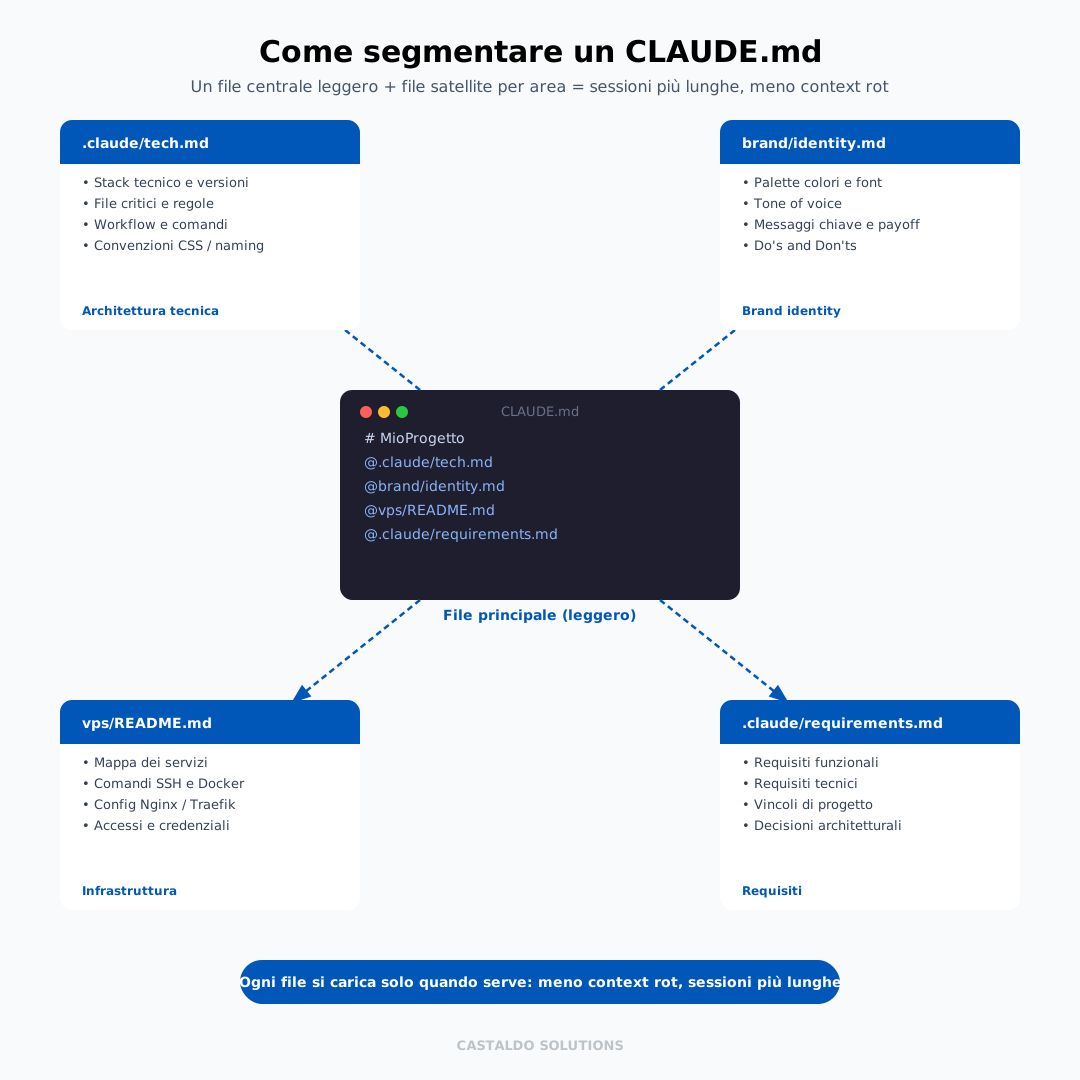
The solution I found: instead of putting everything in one file, I started to distribute memory across separate files per area. Technical requirements in one, infrastructure in another, functional requirements in a third, brand identity in a fourth. The main CLAUDE.md becomes a three-line index, and each file loads only when relevant. Longer sessions, fewer interruptions, fewer repetitions.
References to Other Documents
If you already have documentation on certain project aspects, do not copy it into CLAUDE.md. Put a reference to the file. The content is read when needed, the main file stays light, and information is always at the latest version.
Personal File and Project File: What Goes Where
Understanding this distinction saves you a lot of time.
The personal file contains your preferences as a user: what language you want responses in, what tone you prefer, what tools are available on your computer, work habits that do not change from one project to another. It lives on your machine and is not shared.
The project file contains the rules of the specific project: how it works, what not to touch, how to work, the brand. It is shared with the team and with Claude in every session on that project.
Simple rule: if it applies only to you, it goes in the personal file. If it applies to anyone working on that project, it goes in the project file.
The project where I pushed this structure deepest was the Castaldo Solutions website, the most complex I had on hand. An ideal case to test the limits of a single monolithic file.
After weeks of iteration, I learned how to modularize it: brand identity separate from technical configuration, infrastructure separate from application operation, visual conventions separate from content structure. The main file stayed at three lines. Each of the satellite files loads only when needed.
That structure changed the way I work, and I bring it to every new project I start with clients, as part of the AI services for SMEs we deliver.
Field estimate: a team that starts with modular CLAUDE.md from day one halves onboarding time (no verbal alignment session) and reduces interrupted sessions due to context rot by 60-70% compared to those working without structured context.
A team that starts with this architecture from day one never loses context, never duplicates instructions, never degrades sessions prematurely.
Keeping It Alive: the claude-md-management Skill
The main risk with CLAUDE.md is that it gets old. The project evolves, conventions change, new tools are added, but instructions stay at the initial version.
The solution is to treat it like the project itself: update it incrementally, preferably at the end of every work session where you learn something new.
The claude-md-management skill automates this process. It has two functions:
/revise-claude-md: analyzes the session you just finished and updates the file with new learnings. If you discovered something was not documented, the skill adds it.claude-md-improver: audits the existing file and flags incomplete sections, contradictory instructions, outdated information.
The workflow I use: at end of session I run /revise-claude-md and save the updated file along with other changes. In six months, a project's CLAUDE.md becomes operational documentation of higher quality than any manually written wiki.
A Real Example
To be concrete, here is the structure of the CLAUDE.md of the site you are reading right now:
# CLAUDE.md - Castaldo Solutions

## Brand Identity
@brand/castaldo-solutions-brand-identity.md

## Technical Architecture
@.claude/tech.md

## VPS Infrastructure
@vps/README.md
Three lines, three references. All the detail (stack, critical files, workflow, color palette, voice tone, server access) lives in the referenced files, updated independently, readable even without opening the main file.
The result: Claude, at the start of every session, already knows everything he needs, without me ever writing a 500-line monolithic document that is hard to maintain.
The Most Common Mistakes
Writing too much. An overloaded CLAUDE.md worsens sessions instead of improving them. If a section never measurably changed Claude's behavior, delete it.
Writing it for the AI, not for people. The best CLAUDE.md is one a new collaborator would happily read as operational documentation. If you are writing "You are an expert in..." you are using the wrong pattern: that is a prompt, not a configuration file.
Keeping it only on your own machine. The most powerful part is sharing: every session on that project, yours, a colleague's, an automated agent's, starts from the same context.
Not explaining the reasons. Rules without motivation get ignored. "Do not modify this file" is weak. "Do not modify this file because it is auto-generated at every build and manual changes are overwritten" is unassailable.
Not updating it. A CLAUDE.md six months old on a project that has changed is worse than no CLAUDE.md: it creates wrong expectations.
CLAUDE.md, README and Prompt: The Differences
Three tools that often overlap in the minds of those starting out.
| CLAUDE.md | README | Prompt | |
|---|---|---|---|
| Who it serves | Claude (and those who already know the project) | Those who do not yet know the project | A single session |
| What it contains | Operating rules, constraints, workflow | Installation, architecture, how to contribute | Instructions for a specific task |
| It is shared | With the team via git | With anyone | No, it is temporary |
| It is updated | Continuously, with the project | Rarely | Not updated: disappears |
| Ideal length | Less is better (+ satellite files) | Depends on the project | As short as possible |
A CLAUDE.md does not replace the README: it complements it. The README explains what the project is. CLAUDE.md says how you work on it every day.
CLAUDE.md is one of the three pillars of Claude Code, together with skills and MCP servers. If you want the full picture of how they work together, start from Claude Code: the complete guide; if you want to understand skills specifically, see what Claude Code skills are.
Frequently Asked Questions
How long should it be? There is no ideal length, but there is a threshold beyond which returns diminish. When the main file exceeds 200-300 lines, it is time to move parts of the content into separate files per area.
Does it replace project documentation? No, they are different tools. Documentation explains the project to those who do not know it. CLAUDE.md contains operational instructions for those who work on it every day, including Claude.
Can I have different instructions for different areas of the project? Yes. A file in the main folder for general rules, specific files in subfolders for particular areas. Claude combines them automatically with no conflicts.
How do I know if it works? Open a new session without giving any additional instructions and launch a task that requires respecting the project conventions. If the output is correct on the first try, it works. If you need to correct something, that correction goes in CLAUDE.md.
Start with Three Lines
You do not need to wait for everything to be structured. Open your project, create a CLAUDE.md file, write three things: what the project is, what never gets touched, how it is distributed.
From there, every session teaches you what to add. In a month you have a file (with satellites per area) worth more than any documentation written from scratch.
Once your CLAUDE.md is solid, the next step is connecting Claude to your work tools: here is how to connect an AI agent to your CRM with MCP.
Are you already using Claude Code but sessions degrade too fast? Does your team waste time re-explaining context every time someone opens a new session?
That is exactly the problem we solve in a free pre-assessment: we analyze how you are using Claude Code today, build the modular structure for your project together, and show you how much time you recover in the first week.