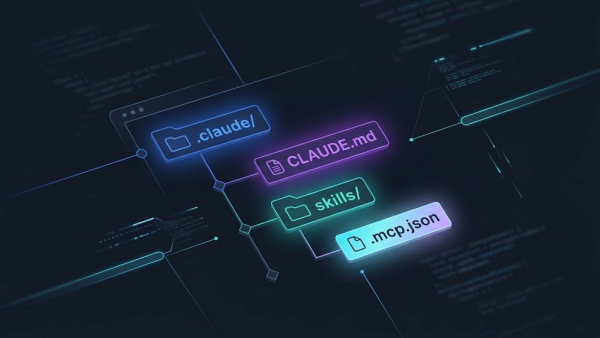
What Are Claude Code Skills and How Do They Work


Every time you open a new session with Claude, it starts from zero. It does not know how you work, does not know your project, does not remember anything you explained last time. Claude Code skills solve exactly this problem.
A skill is a set of permanent instructions that you teach Claude once. From that moment on, he uses them every time you ask, without you needing to repeat anything. You stop being a prompt engineer and start having an assistant who really knows how you work.
In this guide I explain what they are, how they work, and why those who use them work in a structurally different way from those who do not know about them yet.
The Problem That Skills Solve
Imagine hiring an excellent collaborator. On day one you explain everything: how the project works, your communication style, what never to do, which tools to use. He learns, adapts, starts producing quality work.
Then the next morning he shows up and remembers nothing. You have to explain everything from scratch. Every day.
This is Claude without skills. Every new session starts from zero: zero context on your project, zero memory of your preferences, zero knowledge of the constraints that matter. The instinctive answer for those starting out is to rewrite the same instructions every time in chat. It works, but does not scale well: the more complex the work becomes, the more time wasted rebuilding context grows.
The first skill I experimented with was not mine: it was a specialized skill for building workflows in n8n, the automation tool I use for many projects. Before that skill, building a complex n8n flow required 8-16 hours: the reason was not the workflow logic, but JSON syntax errors that n8n imports. Claude produced plausible structures but with wrong details, and reworking articulate flows became endless. To the point that I avoided certain workflows because the time cost did not justify the result.
With the skill, Claude knew exactly how to structure the JSON, which fields to use, how to manage connections between nodes.
Same workflow, same result: from 8-16 hours to 3-4 hours. Zero syntax errors, zero rework. And most importantly: I stopped avoiding complex flows.
This is the impact of a well-built skill: it does not improve the final result, it changes the order of magnitude of the time needed to get there.
Skills break this cycle. You do not teach Claude how you work every morning: you teach him once, put it in a file, and from that moment he already knows where he is.
What Is a Claude Code Skill
A skill is a text file with structured instructions. It lives in a folder on your computer or in the project repository. When you invoke it with a command, like /new-article or /deploy, Claude reads it and uses it as the base for the task you are asking him.
When I explain this to entrepreneurs, I always use the same image: it is like having an assistant to whom you install a competence you have always needed. You are not buying software, you are doing accelerated training for a colleague. You teach him once how something is done, he knows it forever. And this is doubly true when the skill concerns a specific business procedure: you are not describing a generic task, you are transferring knowledge from your sector into the tool.
The key point is that you are not programming anything. You are writing instructions in Italian (or English), exactly as you would write them for a human collaborator. The difference is that these instructions are always available, always precise, and never forgotten.
A concrete example: the /new-article skill I use for this blog contains instructions on how to structure a Grav CMS article, the frontmatter format, SEO conventions, the folder where to save it, the date format. Every time I write a new article, I run /new-article and Claude already knows all this. No explanation, no repetition.
There is a point I always insist on when I explain this concept to companies, because it is what separates a real skill from just another automation. A skill, in its deepest form, is not another script that executes a task in your place: it is the virtualization of an assistant for the team. You are not encoding an isolated action, you are transferring into the tool the way your team handles that procedure: the decisions it makes along the way, the exceptions it knows how to recognize, the order in which it does things. Claude does not just execute the last step: it acts, evaluates and carries out the procedure more or less the way a person on your team who knows it by heart would. This is why a well-written skill is worth more than ten disconnected automations: those execute a task, this embodies a way of working. If you want the full picture of how skills, CLAUDE.md and MCP work together, I have collected everything in Claude Code: the complete guide.
How They Work in Practice
The usage is simple: you type /skill-name in the Claude Code session, and Claude loads the skill context before responding. You can add specific instructions for that task, but the foundation is already there.
Skills also activate automatically. Some are recognized by Claude based on what you are doing: if you are working on a deploy file, Claude can load deploy instructions without you asking explicitly.
There are two main types:
Global skills, available across all your projects. They are your personal skills: the way you want Claude to write for your brand, the format of the quotes you send to clients, instructions for creating presentations in your style. You install them once and you have them on any project.
Project skills, specific to a context. They live in the project folder and are shared with the team. They contain the conventions of that project: how to do deploy, how to create a new page, which files never to touch. Anyone who joins the team finds them already ready.
Skills, Prompts and MCP: The Differences
Three tools that often get confused, with very different uses.
| Prompt | Skill | MCP | |
|---|---|---|---|
| Duration | Only that session | Permanent, reusable | Permanent |
| Setup | Zero: you write in chat | A text file, 30 minutes | Technical configuration |
| Ideal use | Occasional, one-off tasks | Repetitive tasks, business procedures | Integration with CRM, ERP, external APIs |
| Limit | Disappears when closed | No connection to external systems | Requires infrastructure |
| Example | "Summarize this document" | /quote with your price list |
Read data from CRM in real time |
The practical choice: if you are repeating instructions in chat, create a skill. If you need Claude to talk to an external system, consider an MCP. If the task is truly unique, a good prompt is enough.
Real Examples from My Workflow
The skills I use most often every week:
/new-article, creates the complete structure of a blog article with all SEO metadata, correct format, right folder. Before this skill I spent ten minutes just setting up the file. Now it is thirty seconds.
/deploy, guides the site deployment process: checks modified files, does preventive verification, uploads only what is needed. It has completely eliminated careless errors I used to have.
/git-commit, creates commit messages in the correct format for the project, analyzing the changes made. It sounds like a detail, but on a project with precise conventions it makes the difference every day.
castaldo-branding, contains complete brand identity: color palette, tone of voice, key messages, what never to write. Every time I produce content for Castaldo Solutions, Claude already knows the brand without me having to explain anything.
What almost every client asks about when we start talking about skills does not concern code: it concerns administration and sales. Account reconciliation (taking data from different sources and reconciling them to a precise format) is one of those tasks that in business absorbs hours every week without creating value. With a skill built to the client's specifications, Claude knows the format, matching rules, exceptions to manage. The same goes for quotes: a skill that knows your price list, discount logic, company tone produces ready drafts in minutes instead of hours. These are the use cases that convince those who have never thought of AI as an everyday operational tool.
Where to Find Skills and How to Install Them
Anthropic maintains an official marketplace of skills shared by the community. You can also find them on GitHub, where many developers publish their specialized skills.
Installation is simple: download the skill folder, put it in the correct directory (~/.claude/skills/ for global skills, .claude/skills/ for project ones), and from that moment they are available.
To understand which skills to install, the claude-automation-recommender skill is an excellent starting point: it analyzes your project and tells you exactly which automations make sense for your specific case.
When It Makes Sense to Create Your Own
Not all skills need to be created from scratch. The marketplace already covers many common use cases. But there are situations where a custom skill is the right choice:
- You have a recurring process specific to your sector or client
- You want Claude to know your brand and company conventions
- You are working on a project with particular rules that you do not find anywhere
The clearest signal: if you find yourself rewriting the same instructions in chat for the third time, that is a skill you have not created yet.
If you want to understand how to manage project memory between sessions, also read the guide on how to write an effective CLAUDE.md: it is the natural complement to skills for those working on structured projects.
To build your first skill, read the practical guide on how to create one from scratch. To take it to the next level, the best practices for refining and maintaining skills over time. To see which skills I use in my daily workflow and why, the 8 skills that changed the way I work.
Frequently Asked Questions
Do skills only work for developers? No. Skills are useful for any repetitive work: creating documents with precise format, following an approval process, producing content in the right tone, analyzing data with specific criteria. If you have a task you do often and want Claude to do it the same way every time, a skill can help.
Do I need to know how to program to use them? No. Skills are text files written in natural language. You write the instructions as you would for a human collaborator. There is no code, no special syntax to learn.
Do other people's skills work on my project? It depends. Generic skills (branding, communication, document format) work anywhere. Skills specific to a framework or tool only work if you use that technology. Before installing them, read the description to understand the context they were created in.
How many skills can I have? There is no technical limit, but there is a practical one: too much context in one session degrades response quality. Keep skills focused on a specific task, keep only the ones you use, and distribute complex instructions across separate files referenced by the main skill.
The Next Step
If you are starting: install a skill from the marketplace and use it for a recurring task. In an hour you will understand the value better than any article can explain.
If you already have a Claude workflow but have never used skills: identify the task you repeat most often, write the instructions in a file, invoke it with /name. It is the fastest way to understand what you are missing.
Do you want to understand which skills make sense for your project or company?
During a free pre-assessment we analyze your workflow with Claude, identify the tasks that lend themselves to automation with skills, and build together the structure that saves the most time from the first week.