The 8 Claude Skills That Changed My Work (and One to Avoid)


When Anthropic introduced skills for Claude Code in October 2025, few understood immediately what was happening. It was not a feature: it was a protocol.
Two months later, OpenAI silently adopted it in ChatGPT and Codex CLI. The most attentive users found traces in thinking sessions: the exact structure /home/oai/skills, folders with skill.md files mirroring Anthropic's exact standard. Same principle as MCP: created by Anthropic, became the de facto industry standard.
Skills are today what browser plugins were in 2005: those who master them work structurally differently from those who don't know yet.
In this article I tell you about the 8 I actually use, concrete use cases from my daily workflow, and one trap I learned at my own expense.
What Is a Skill (and Why It's Not "Just a Prompt")
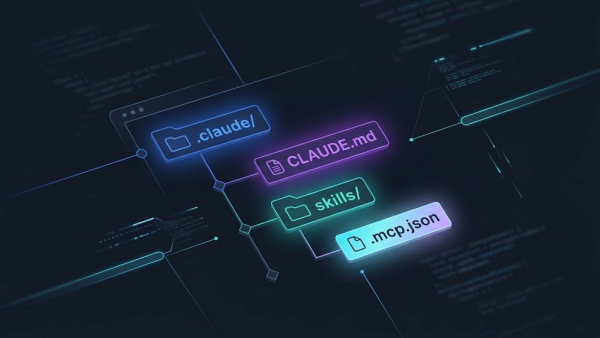
A skill is a folder with a SKILL.md file at its core. It contains structured instructions, references, examples: everything the model needs to execute a specific task with surgical precision. You activate it with a command like /new-article or /deploy, and Claude knows exactly what to do.
The difference from a long prompt in chat:
- It is modular. Context is injected only when needed, not at the start of every conversation.
- It is shareable. It lives in the repository, goes into git, everyone on the dev team uses it identically.
- It is versionable. Change the skill, change the behavior: without touching the code.
This is why ChatGPT is also adopting them: not because Anthropic patented something, but because the pattern works. Like MCP, it is an open standard the community has validated in the field.
The Dark Side: Research on Context Rot
Before we get into the skills I use, there is something you need to know, and it has changed how I choose them.
In July 2025, Chroma Research published a technical report on 18 leading models (GPT-4.1, Claude Opus 4, Gemini 2.5 Pro): every single model suffers from context rot: progressive performance degradation as context grows. At the 10,000-word context threshold, even the most capable models start producing anomalous output: truncations, repetitions, invented information. GPT-4.1 nano started inserting "san" instead of "San Francisco."
The key point: a skill with too heavy a payload makes the model worse, not better. The instructions you think are guiding Claude actually distract it. The problem is not skills themselves: it is the volume of context they bring into the conversation window.
This has a direct practical consequence on how I choose what to put in a skill and when to use an MCP (Model Context Protocol) instead, which brings documentation on-demand instead of preloading everything.
Keep this in mind as you read the next sections.
The 8 Skills from My Real Workflow
1. claude-md-management: The Most Valuable By Far
This is the one that changes everything for teams.
claude-md-management manages the CLAUDE.md file: the "project memory" that Claude reads at every session. It contains project rules, conventions, critical files, deploy workflow, brand. Everything a new dev (or a new AI session) needs to know before touching the code.
The revolutionary point: it lives in the repository. Goes into git. Every developer who clones the project has the same shared memory. You are not configuring Claude: you are documenting the project in a format the AI reads natively.
The skill has two commands:
/revise-claude-md: updates the CLAUDE.md with learnings from the current sessionclaude-md-improver: audits and improves the quality of the existing file
I use this system on all Castaldo Solutions projects. The result: zero onboarding for new devs, zero context lost between different sessions, zero redundant explanations.
2. claude-automation-recommender: The Skill for Optimizing Skills
Paradoxically, one of the most powerful skills is the one that tells you which other skills to create.
claude-automation-recommender analyzes your codebase and your workflow, then returns a concrete map: which agents to create, which hooks to configure, which plugins to activate, how to structure local skills. It tells you exactly how to optimize your Claude setup for your specific project.
I used it to build the automation of this website's deploy: workflow analysis, identification of repetitive patterns, custom /deploy skill, automated post-deploy smoke test. A loop that now completes in a few commands.
It is the skill that takes you from "I use Claude in chat" to "I have an AI infrastructure on my project."
3. ralph-loop: For Those Working with PRDs and Teams
If you work with specification documents (PRD, user stories, task lists) and have a development team, ralph-loop is a tool unlike anything else.
It allows you to launch a recurring cycle on a task: for example monitoring the status of a build process, periodically checking a condition, or iterating through a series of tests. The interesting thing is the approach: it works well with waterfall development structures, where each phase must be validated before moving to the next.
For teams: it is shareable via CLAUDE.md, so every dev coming into the project finds the loops already configured and knows how to use them. It reduces "what do I do next?" questions.
4. mcp-builder: Create Your Own Local MCP (with Caution)
This skill guides you through creating a local MCP server: your custom application reachable by Claude as a native tool.
I have applied it to various projects: connection to proprietary databases, integration with internal APIs, access to legacy systems. When it works, it is magic: Claude talks directly to your systems without copying/pasting data.
The trap is concrete though: many use cases are already covered by the community. Before building an MCP from scratch, search GitHub and the official marketplace: there is a high probability someone has done it better. The risk is wasting days replicating something that already exists. mcp-builder is powerful when your use case is genuinely custom; it becomes a waste when you are reinventing the wheel.
5. brand-guidelines: Portable Brand Identity
This skill generates and maintains structured brand identity documents: color palette, tone of voice, fonts, key messages, do's & don'ts.
The value is not just in generation: it is in portability. The brand document becomes a file in the repository, readable by Claude in every session. When you write a page, a post, an email: Claude already knows how the brand speaks.
We are bringing this system to all Castaldo Solutions clients: every company receives a brand-guidelines.md that ends up in their working repository. The result is communication consistency across sessions, across devs, between those who write copy and those who write code.
6. Custom Project Skills: The Automation of Your Dev Workflow
This is the next level: creating skills specific to your project. For the Castaldo Solutions website we built:
/new-article: creates the complete structure of a Grav CMS article: folder, frontmatter, hero image, all SEO conventions automatically respected/new-page: adds a new page: entry inconfig.php, PHP template, i18n strings in Italian and English/deploy: guided deploy pipeline: delta FTP, dry-run, selective upload/smoke-test: verifies live with Playwright that key pages load correctly after each deploy/git-commit: commit + push with project commit message conventions
The point: each skill encapsulates the conventions specific to that project: file structure, naming, deploy rules, tools used. A developer coming onto the team does not need to read 30 pages of documentation. Launch /new-article and Claude does everything the right way.
If you want to build custom skills for your project from scratch, I have written a practical guide with real examples and advice on context rot. For best practices on how to refine and maintain skills over time, read the complete guide with the Castaldo Solutions method.
7. n8n-mcp-skills: Specialized Automation
The n8n-mcp-skills package is an example of a vertical skill for a specific tool: 6 specialized skills for building n8n workflows correctly.
n8n-code-javascript, n8n-expression-syntax, n8n-workflow-patterns, n8n-validation-expert: each brings specific and structured context for a different aspect of n8n. The model knows how to use $input, $json, $node, how to handle errors, which patterns to apply for webhooks, databases, AI agents.
The value: without these skills, Claude produces plausible n8n code but often wrong: incorrect syntax, non-idiomatic patterns. With the skills, the first-attempt success rate rises dramatically. It is the perfect example of how a vertical skill beats a generic prompt.
The Skill to Avoid (or Use with Caution): frontend-design
frontend-design looks perfect on paper: a skill that guides Claude in creating web interfaces with high quality, distinctive components, production-grade code.
The problem: the payload is too heavy. Design instructions, patterns, style references: everything goes into the context window before you even start. And here we come back to Chroma Research context rot: the model has already "consumed" a significant portion of its attentional capacity processing the skill instructions. The practical result: slower output, less creative, sometimes incoherent.
The better solution, which I have adopted, is to use an MCP like context7: which brings official framework and library documentation on-demand, only when needed, without pre-loading everything into context. Performance is noticeably superior.
The lesson: not all skills are appropriate for all use cases. A skill dense with complex instructions, on creative or exploratory tasks, can worsen results compared to a cleaner approach. The practical rule: if the task requires more than 2,000 tokens of specialized instructions, consider an on-demand MCP instead of a static skill.
August 2026 Update: the Skills I Actually Use Today
Since I wrote this article my workflow has changed again. A few months on, the skills I open most often are no longer exactly the same ones: I am telling you because the point is not the list itself, it is where they ended up inside the way I work.
brain-sync: the company skill that keeps the company brain, the structured memory of Castaldo Solutions, aligned with the sources that already know the facts: email, calendar, work repositories, the archive of past proposals. Once a month it proposes a diff of new facts only, it writes nothing on its own: the decision stays mine. It is the skill that saves me from rewriting the same information across ten different files.ai-seo: this one surprised me the most. I use it to optimize content for how an AI engine answers, not just for Google ranking: how an article is read, understood and cited by a model that generates a direct answer instead of returning a list of links. I find it extremely strong, probably the skill with the best ratio between time invested and result I have right now.- The video-generation skills: I use them a lot, far more than I imagined when I wrote the first version of this piece. Transcription, story editing, video rendering: work I used to outsource or postpone, I now finish in-session.
castaldo-offer: it generates commercial proposals and quotes in two formats, concise and phased, following Castaldo Solutions internal standards. I use it more and more: when I have to send an offer I start from there, not from a blank document.- A new skill I open-sourced: it maps a client's business processes and turns them into a document readable by both a person and an agent. I published it because the value is not in keeping it to myself: the more consultants use it, the more the way we describe a business process becomes a shared standard, as already happened with MCP.
A note on the move to the Claude 5 family: when Fable 5 arrived I rewrote nothing. The eight skills in this article, the CLAUDE.md and the MCP servers kept working identically on the new model. It confirms the thesis of this piece: the investment is not in the prompt, it is in the infrastructure, and the infrastructure survives the model change.
If you want the full picture of how skills, CLAUDE.md and MCP work together, I put it all in the complete guide to Claude Code.
Claude Has Entered My Consulting Pipeline
The biggest change of these months is not a single skill: it is where Claude slipped into the way I work with clients.
I record the meeting and transcribe it with Gemini. From there Claude digests the transcript: it extracts decisions, constraints, numbers, what the client actually said, not what I remember the evening after. That material becomes the scaffolding, the starting structure, of the company brain and the projects: structure that is ready, not scattered notes to reorganize with a cold head. From there, in some cases, you reach agentic delivery: Claude directly executing part of the agreed work, not just preparing it for me.
My thesis: agentic delivery in consulting is not an established model yet. Few really do it, even fewer do it well. But it is worth gold, because it is the difference between selling hours and selling a result that arrives sooner and costs less to produce.
If there is a thread tying all this together, including the five skills above, it is a simple idea: a skill is not just another automation. An automation runs a fixed step, always the same, without looking around. A skill virtualizes an assistant that thinks and acts like a team member would: it reads the context, decides what needs doing, does it. It is the difference between a script and a colleague you explained the work to well, just once.
The Protocol That is Changing the Industry
The fact that OpenAI silently adopted the same schema (folders with skill.md, structure identical to the Anthropic standard) is not a coincidence. As happened with MCP, we are witnessing the emergence of a shared protocol for defining AI agent capabilities.
The implications for those working with AI today:
- Skills are investments, not configurations. A well-built skill is worth for months, works on Claude and ChatGPT, is shareable with your team.
- Context rot is real and measurable. Before adding a skill, ask yourself: does this extra context help or distract the model?
- The real value is in the ecosystem. A single skill is useful. A system of skills + hooks + CLAUDE.md + local MCPs on a project is an AI infrastructure.
The same MCP protocol is what lets Claude talk to your business systems: if you have a CRM, you can connect it to an AI agent by following the practical guide to CRM MCP servers.
If you are building something serious with Claude (a product, a business workflow, a consulting system), the starting point is not "what prompt do I write," but "what infrastructure do I build."