Connect Claude (and Any AI Agent) to Your CRM with MCP: A Practical Guide
An MCP server connects Claude and AI agents to your CRM: read the pipeline and update deals in plain language. A hands-on guide with real code, a safe read-only mode, and a tested directory of CRM MCP servers.
In short
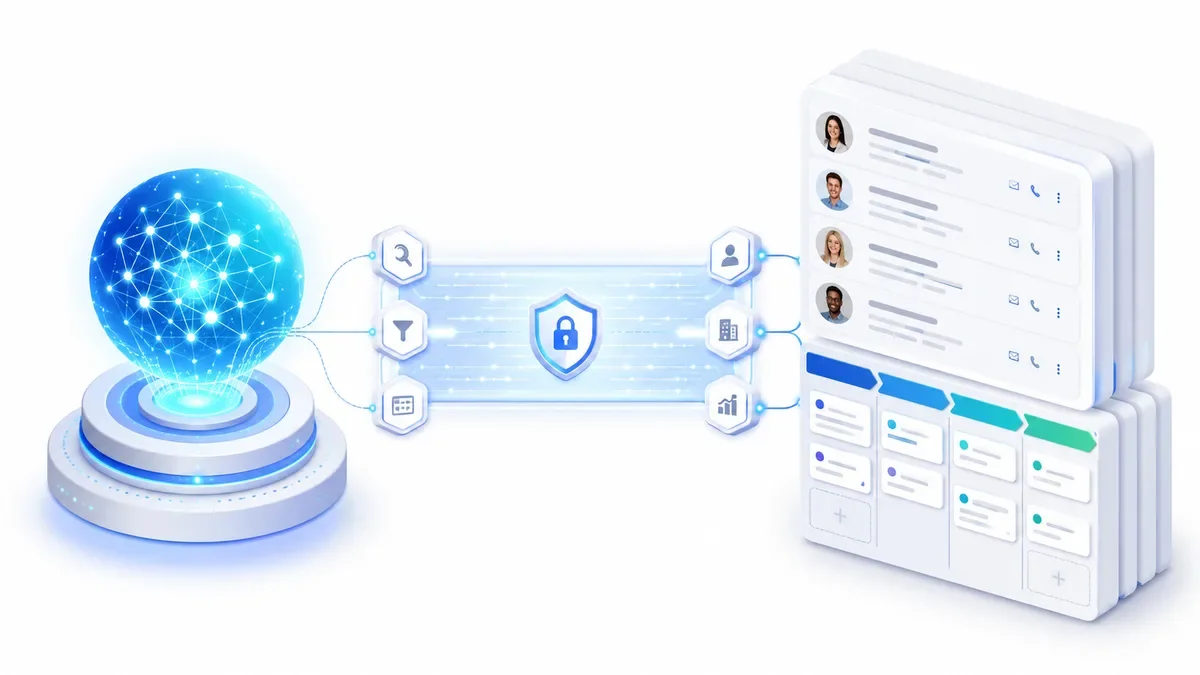
A CRM MCP server is middleware that translates your CRM's APIs into tools that Claude and other Model Context Protocol compatible AI agents can use directly. In practice it lets you ask, in plain language, "which deals have been stuck for more than 30 days?" and get the answer straight from live CRM data, without opening a single screen. To connect one you need three things: an MCP client (such as Claude Desktop or Claude Code), an MCP server for your CRM, and API credentials. Below you will find real code, the configuration, and the point most guides skip: how to run it in read-only mode so you never risk unwanted writes to your sales data.
What a CRM MCP server actually is
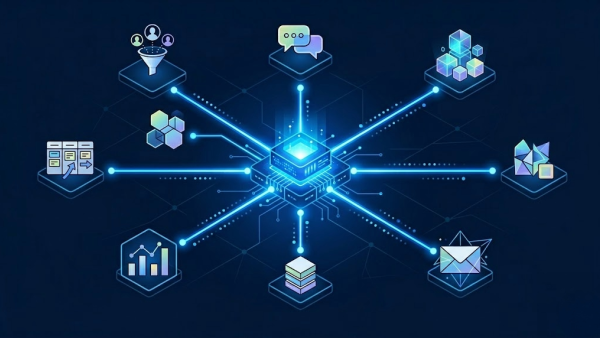
The Model Context Protocol (MCP) is the standard, adopted by Claude, Claude Code, Cursor, OpenAI Codex and others, that lets a language model use external tools in a structured way. An MCP server exposes functions (tools) the AI can call: list_opportunita, search_contatti, update_opportunita and so on.
Applied to a CRM, it means the AI stops being a separate tool and starts working inside your data: it reads the pipeline, summarizes a deal, prepares a meeting, updates a status. The CRM stops being a database you fill in by hand and becomes something that answers your questions.
It helps to tell it apart from a regular integration. A classic integration connects two systems with a predefined flow (when X happens, write Y). An MCP server instead exposes capabilities: the AI decides, each time, which tool to use based on your request. More flexible, but for that very reason it needs to be governed (see the security section).
How it works, in three steps
- Translation. The MCP server converts the CRM's API calls into standardized tools. The AI sees actions like
get_opportunitaorcreate_lead, not REST endpoints. - Connection. The MCP client (Claude Desktop, Claude Code) starts the server and discovers its available tools.
- Execution. You write a request in plain language, the AI picks the right tool, the server queries the CRM and returns the data.
What you can actually ask your CRM
To see the concrete value, here are real requests and the tool the AI uses behind the scenes:
- "List open opportunities above 10,000 euros expected to close this quarter" →
list_opportunita - "Summarize the deal with Rossi and its latest logged activities" →
get_opportunita+list_attivita_opportunita - "Which contacts do we have working at Acme Ltd?" →
search_contatti - "Add a note to opportunity 4521: called the client back, follow up Monday" →
add_nota_opportunita(write) - "Which fields does the Opportunities module have?" →
describe_modulo - "Give me deals lost in the last 90 days grouped by reason" →
query_raw(VTQL)
The point is not the single query, but that all of this happens in a conversation, with no filters to set by hand and no exporting to a spreadsheet.
Tutorial: connect Claude to VTENext with an MCP server
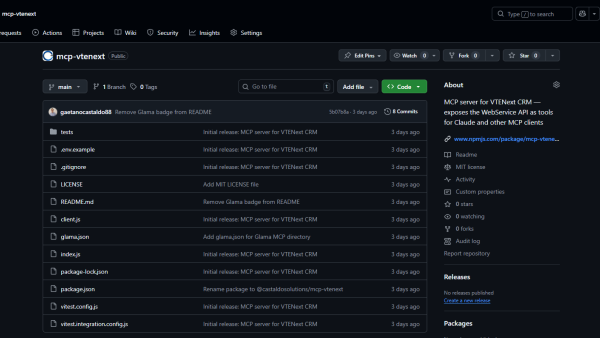
As a concrete example we use mcp-vtenext, the open source (MIT) MCP server we built for VTENext, a self-hosted CRM widely used by Italian SMEs. The logic is identical for any other CRM: only the server changes.
1. Requirements
- Node.js 18 or higher
- A reachable VTENext instance
- An Access Key, found in VTENext under Admin → Users → [user] → Access Key
2. Configuration
Create a .env file with your credentials:
VTENEXT_URL=http://your-vtenext-instance
VTENEXT_USERNAME=admin
VTENEXT_ACCESS_KEY=your_access_key
READ_ONLY=false
3. Connect the server to Claude Code
Add the server to the .mcp.json file in your project root:
{
  "mcpServers": {
    "vtenext": {
      "type": "stdio",
      "command": "node",
      "args": ["/absolute/path/to/index.js"]
    }
  }
}
Restart the client: Claude detects the tools automatically, and from that moment you can ask, for instance, "list open opportunities above 10,000 euros" and get the answer from live data.
4. Available tools
The server exposes functions across several CRM modules:
| Module | Tools |
|---|---|
| Opportunities | list_opportunita, get_opportunita, search_opportunita, create_opportunita, update_opportunita |
| Contacts | search_contatti |
| Activities and notes | add_nota_opportunita, list_attivita_opportunita |
| Utilities | describe_modulo, query_raw (raw VTQL query) |
Authentication follows the vtiger WebService protocol (challenge token, MD5 hash of the Access Key, login with a session cached for 4 minutes): all handled by the server, so you do not have to think about it.
Read-only and security: the point almost no one addresses
Letting an AI read your CRM is useful. Letting it write sales data on its own is a risk no serious company takes lightly. That is why the server supports read-only mode:
{
  "mcpServers": {
    "vtenext-bot": {
      "type": "stdio",
      "command": "node",
      "args": ["/absolute/path/to/index.js"],
      "env": {
        "VTENEXT_URL": "http://your-vtenext-instance",
        "VTENEXT_USERNAME": "admin",
        "VTENEXT_ACCESS_KEY": "your_access_key",
        "READ_ONLY": "true"
      }
    }
  }
}
With READ_ONLY=true, every write tool (create_opportunita, update_opportunita, add_nota_opportunita) returns an error instead of touching the data. You can run a read-only instance for bots and automated agents, and a full-access one only for human operators.
Read-only is the first safeguard, not the only one. A secure setup also includes:
- A dedicated CRM user with the minimum permissions needed, not the admin account. This limits what the AI can see and do at the source.
- Credentials outside the code: the Access Key lives in environment variables, never in the repo or in prompts.
- Restricted network access to the CRM instance (VPN, IP whitelisting) if the server runs on a different machine.
- Auditability: knowing which calls the agent makes, especially when writes are enabled.
That is the difference between "let's try AI on the CRM" and "we put AI on the CRM in a controlled way".
The three ways to get an MCP server on your CRM
There is no single path. Before picking a specific server, it helps to know which of the three families it belongs to:
- Official vendor servers. Provided by the CRM maker (HubSpot, Microsoft Dynamics). Easier to enable and supported, but tied to that CRM.
- Unified API platforms. Services like Merge or Unified.to expose a single MCP server that connects to dozens of different CRMs. Great if you manage multiple CRMs or want one integration point, usually paid and cloud-based.
- Open source and self-hosted. Servers you install and control yourself (VTENext, Twenty). Maximum control over the data, ideal when data sovereignty matters or the CRM is on-premise.
Which CRM MCP servers exist today
Here is a tested selection, with an honest verdict.
| CRM | MCP server | Family | Notes |
|---|---|---|---|
| Salesforce | Official and partner integrations | Vendor | The most powerful CRM on the market: MCP here unlocks advanced data and automation scenarios. Worth setting up properly to get the most out of it |
| HubSpot | Official MCP server | Vendor | Great out-of-the-box experience, ideal if you are already on HubSpot |
| VTENext | mcp-vtenext (open source) | Self-hosted | Self-hosted, read-only mode, built for Italian SMEs |
| Microsoft Dynamics 365 | Official Sales MCP | Vendor | Native integration with the Microsoft ecosystem |
| Twenty | Community server | Self-hosted | Modern open source CRM, community-maintained server |
| Multi-CRM | Merge, Unified.to | Unified API | One server for many CRMs, useful in multi-system scenarios |
If you are on Salesforce, MCP is not a hacker experiment: it is how you bring AI agents into serious sales processes, with governance and security. This is exactly the kind of integration we work on as a Salesforce Certified Partner.
How to choose the right one
Four questions are enough to point you in the right direction:
- Are you already on a CRM with an official server (HubSpot, Dynamics)? Start there, it is the shortest path.
- Is your data sensitive or your CRM on-premise? Go open source and self-hosted, keep everything in-house.
- Do you manage multiple CRMs (a group, different clients)? A unified API platform saves you N integrations.
- How much technical skill do you have available? Self-hosting needs someone to run it; official servers and cloud platforms ask for less.
Common mistakes (and how to fix them)
- Claude does not see the tools. Almost always the
command/argsin.mcp.jsonpoints to the wrong path: use the absolute path toindex.jsand restart the client. - Authentication error. Wrong Access Key or username, or the challenge token has expired. Check the credentials and that the instance responds.
- Writes are rejected. If write tools return an error, check
READ_ONLY: if it istrue, that is the intended behavior. - Timeout or no response. The CRM instance is not reachable from the machine running the server: check network, URL and firewall.
Limits: when an MCP server is not the answer
To be honest, it is not the solution to everything:
- It is not continuous sync. An MCP server works on demand when the agent queries it; it does not replace an integration that keeps two systems aligned in real time.
- It is only as good as your data. If the CRM is full of dirty or duplicate records, the AI will return dirty answers.
- Writes must be governed. Letting an agent change sales data on its own calls for rules, not enthusiasm.
- It is not a new CRM. It is a layer on top of what you already have: if the problem is the CRM itself, MCP will not fix it.
Frequently asked questions
Do I need to know how to code? For an official server or a cloud platform, not much. For self-hosting (e.g. VTENext) you need someone who can install and configure Node.js and manage the credentials.
Does it only work with Claude? No. MCP is an open standard: the same servers work with any compatible client (Claude Desktop, Claude Code, Cursor and others).
Is it safe to let an AI access the CRM? Yes, as long as you use a dedicated user with minimum permissions, read-only mode where appropriate, and credentials protected in environment variables.
Can I use it with Salesforce? Yes, through official and partner integrations. It is one of the most powerful scenarios, and the one we work on as a Salesforce Certified Partner.
How is it different from a regular API integration? An integration runs a predefined flow; an MCP server exposes capabilities the AI uses on its own, in plain language, choosing the right tool for each request.
Where to actually start
If you want a deeper look at the VTENext implementation, we have a dedicated step-by-step guide: MCP server for VTENext: how to connect Claude to your CRM. If you are still getting comfortable with Claude Skills and automation, start from how Claude Skills work.
The real leap, though, is not technical: it is deciding which sales process makes sense to put in the hands of an AI agent, and with what limits. Here a read-only MCP server is the smart first step.
Want to connect your AI to your CRM without risking your data and without endless projects? Let's talk: we offer CRM consulting for SMEs tailored to your business, from read-only to full workflow, with the control a business needs.
Tags

Founder & CEO · Castaldo Solutions
Sono un consulente di trasformazione digitale con esperienza enterprise. Aiuto le PMI italiane ad adottare AI, CRM e architetture IT con risultati misurabili in 90 giorni.