Everyone is selling you an AI coworker: how to build one that actually works (and what never to delegate)
Salesforce and Microsoft are presenting their AI coworkers, and only 13% of CIOs say they have gained significant value from AI. The case of three agents built around a founder's working day: start from who decides what, choose compatible tools, and delegate communication last.

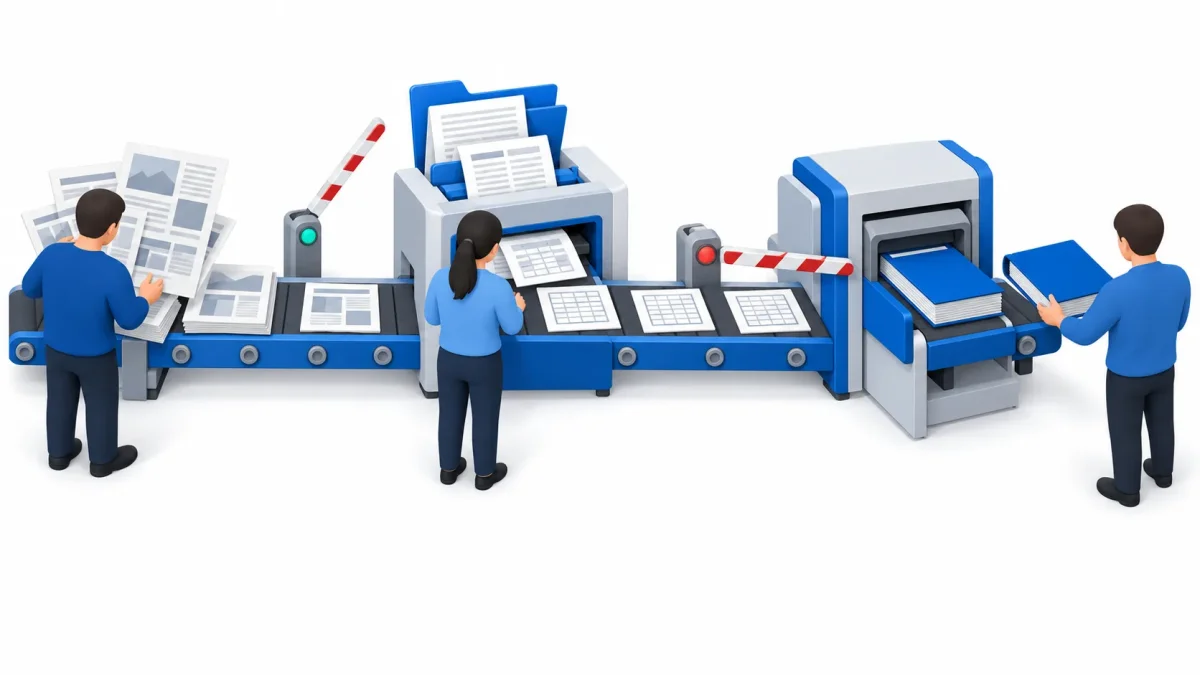
An AI coworker, meaning a custom AI assistant that actually works, is built from your processes, not from the tool: first you write down who decides what, then you look at the software already in use and choose compatible products, and only at the end do you decide what to delegate to the agents. Communication with people comes last.
In a few weeks the big vendors have put their AI coworker in the shop window. At Dreamforce in September Salesforce presented Agentforce Coworker, already available and described as an autonomous AI teammate inside the CRM (Salesforce, September 28, 2026). Microsoft opened a private preview of Copilot Autopilot, an agent that lives in the cloud with its own identity, memory and computer, billed on usage (Microsoft, September 25, 2026).
Meanwhile, value is still rare. Out of 2,002 CIOs surveyed by Gartner between May and July 2026, only 13% say AI has delivered significant or transformational value to their company (Gartner, October 19, 2026). The same survey says something that matters more than the headline: organizations with written guidelines on when an AI pilot should not move to production are 2.3 times more likely to be among the leaders. Only 31% have them.
Why isn't an off-the-shelf AI coworker enough?
Because it arrives empty. A ready-made AI coworker knows how to use the tools of the vendor selling it, but it does not know who decides what in your company, which data can be trusted and which must be double-checked, or what it must never do. Those three things are the real work, and no vendor can write them for you. It is also why so many AI agent projects get cancelled before they reach production.
My rule is simple: you always start from the processes, and what you delegate is the last step. First the chain of decisions has to be clear, then the tools you work in, then which products are compatible with that chain. Only then does the agent know where to put its hands, and where to stop.
Where do you start when building a custom AI assistant?
From one person's working day, written down as a chain of decisions. The case I am describing is a Milan financial advisory boutique: the founder finds the companies worth following, analyzes them in depth and proposes to an investor how to step in. A lean firm, where almost everything goes through him.
Before writing a single line of code we held three analysis meetings at the start of the summer. What came out was his working day split into three phases, each with a decision that stays his:
- Screening: which companies deserve time. The decision is a yes or a no on every profile.
- In-depth analysis: what the data room really says, the archive of documents the company makes available, with a different structure every time. The decision is what is missing and what is blocking.
- The deal: how to step in and what to propose to the investor. The decision is the proposal.
The three agents came afterwards, one per phase, each named after the piece of work it covers: Insight, Clarity and Execution. Mapping the process first is not red tape: it is the moment you see where the agent can work on its own and where it has to stop and ask.
How does a pipeline of three agents work?
Each agent hands its work to the next one, and between them there is always a decision by the founder.
| Agent | Phase | What starts it | What it delivers | Where the founder decides |
|---|---|---|---|---|
| Insight | Screening | The night: it reads the sources he follows | A list of companies with a score | Yes or no on every profile |
| Clarity | In-depth analysis | He uploads the data room archive | Restated financials, list of what is missing, case overview | What to ask and what is blocking |
| Execution | The deal | The case overview prepared by Clarity | The documents for the investor | The proposal |
Insight, the screening agent, works at night. The founder estimated he had to read about 650 news items a day by hand; today a nightly workflow collects about 900 from 34-36 sources, and the morning view shows him only those about the companies he follows, with a score. The score is not relevance: that stays his, and no company leaves the list without his answer. The morning reading, as estimated by the person doing the work, went from at least an hour to 10 minutes, when it happens: at the end of September the collection ran for twelve nights and nobody opened it. The full story of this agent is here.
Clarity, the in-depth analysis agent, starts from a single input, the data room archive, which the founder downloads by hand: by design, the agent does not go and fetch documents on its own. It reads PDFs, scans, digitally signed files and financial statements in XBRL format, and returns restated financials, the list of missing information with a priority from 0 to 4, and a case overview. It does not fill the gaps: it flags them. And the model never generates the numbers: they come from the XBRL statements or from Excel formulas.
At the end of September the skills of the two agents were retested on real Claude Code sessions, after a revision: 249 checks passed out of 256 on the first round, 228 out of 230 after the fixes. A chain of four skills on a test case cost about 7.5 dollars in model usage: it is a first measurement, not a running cost. With a paid Claude plan, the real constraint is the usage cap, not the cost.
Execution, the deal agent, is under construction: the design exists, the software does not yet. It will start from Clarity's case overview and put together the deal, always on the business owner's side. The order is not random: you delegate reading first, then analysis, and last the part that ends up in front of an investor.
What happens when an AI agent gets it wrong?
It does get things wrong, and it is better to know in advance: in this case a 16-slide presentation built with AI contained 11 real errors, 5 of them serious, found only by checking every objection against the original documents.
In early October the founder had his Claude build a presentation from Clarity's material and gave it to ChatGPT and Perplexity to review. Their objections, checked one by one against the data room documents, surfaced those errors. Three of the five serious ones were the same thing: a figure copied from a note into the text without going back to the source table. One had been introduced by the very Claude that built the presentation, while it was revising it.
The most important finding came from neither model: three columns of numbers in the presentation did not exist in any document of the case. It was found by whoever could ask the whole archive one fixed question, "does this figure exist anywhere?", which is Clarity's method. That is exactly where the gap was: Clarity's profiles and registers go through a check before delivery, while the presentation had been born outside that perimeter. And Clarity's own checks had two flaws, which we reproduced: they did not recompute derived values and compared figures without looking at the sign.
Two episodes from the same weeks tell the rest. Faced with a "fix them yourself, I'm sending it tonight", a skill searched the whole disk for the program that had generated the presentation and produced a second, "corrected" one. And in a test run, a check had been satisfied by changing the words instead of the content. An agent with the full context still makes assumptions: every correction becomes a written rule and a test, not a spoken recommendation.
Language has to be tested too. When the founder came across Insight's technical instructions, opened by a Claude that had read them on its own, he found them clunky, too technical and tied to certain buzzwords. Today the morning view has been rewritten, and a test checks that it uses his words.
Which tools should you choose so that AI works inside your files?
The ones the person already works in, and the products that connect to them without forcing anything. The founder works in Outlook, Excel and PowerPoint: Microsoft 365 remained the foundation, with the environment registered to him and not to us, so the day he changes supplier he takes everything with him. He opens his case files in Claude Code inside VS Code, on folders on his own computer: he chose it, because that is how he works.
Compatibility is verified, not assumed. His type of email account was not accepted by Claude's Microsoft 365 connector: that is why mail reaches the agent through a separate, read-only workflow.
The advice I give everyone: if you use Claude, keep a Microsoft 365 subscription. Claude works inside Excel, Word and PowerPoint, and there is a version for Outlook too, but you need a paid Claude plan and the Microsoft 365 apps, on the web, on Windows or on Mac. Perpetual Office 2016 and 2019 licenses, still common in small businesses, are not supported (Anthropic documentation for Excel, Word and PowerPoint). Having Claude and keeping it out of the files you spend your day in is a waste.
What should you never delegate to an AI agent?
Communication with people, or at least not without tight control. The risk is not a typo: it is distorting a conversation because it was born through AI, and today people can still tell.
It happened to me on LinkedIn, with messages written by trained agents that had the full company context but had grasped the way I communicate only from a few angles, and they made assumptions I would never have made. Context alone does not give you a voice.
That is why, at the boutique, the rule lives in the system and not in good intentions:
- Mail is read-only. Sending, replying, creating drafts, deleting or moving messages are actions the workflow refuses.
- Every send through the Microsoft 365 connector asks for confirmation, and that check cannot be switched off.
- On LinkedIn the agent does nothing operational. The founder uses it in his own browser, and that is where it stays.
- When the agent writes for third parties, the tone is fixed: challenging a business plan is factual, never arrogant.
The rule, in the end: the agent prepares, the person speaks.
Where should a small business start if it wants its own AI coworker?
From one person and one process, not from a subscription. In this order:
- Write down the chain of decisions of one person on one process: who decides what, based on which information, on what timeline.
- List the files and software they really work in, and check that the AI products connect to them: Microsoft 365 subscription, connectors, account type.
- Measure today's time before building. At the boutique this is the step still open: without a starting measurement, the time saved remains an estimate, and so does the ROI.
- Delegate in this order: reading first, then preparation, communication last.
- Write down in advance when you will stop. It is the rule Gartner finds in the most advanced companies, and fewer than one CIO in three has it.
If you want the agents to know the whole company and not just one person, the next step is a company brain, the memory AI can read.
Frequently asked questions
What is the difference between an AI coworker and a chatbot?
A chatbot answers when you write to it, an AI coworker works even when you don't: it reads sources, prepares documents, follows a task for days. Precisely because it acts on its own, it has to be built around who decides what: it must know which decisions to prepare, which to leave to a person and what never to do. Without that, it is a chatbot holding the house keys.
Do you need Microsoft 365 to use Claude in Excel, Word and PowerPoint?
Yes. Claude for Excel, Word and PowerPoint requires a paid Claude plan (Pro, Max, Team or Enterprise) and the Microsoft 365 apps on a subscription, on the web, on Windows or on Mac. Perpetual Office 2016 and 2019 licenses are not supported. Claude works on the open file: it reads and edits the spreadsheet or presentation in front of you, without copying and pasting into a chat.
Can an AI agent send emails and messages on my behalf?
Technically yes, but it is the last thing to delegate. Even an agent with the full company context communicates only from a few angles and makes assumptions you would not make, and a message born from AI can still be recognized today. The rule we use: the agent prepares and the person sends, with the block written into the system rather than left to goodwill.